
Setup Wizard
On first run, Decypharr presents a setup wizard to configure core settings.
Step 1: Authentication
Section titled “Step 1: Authentication”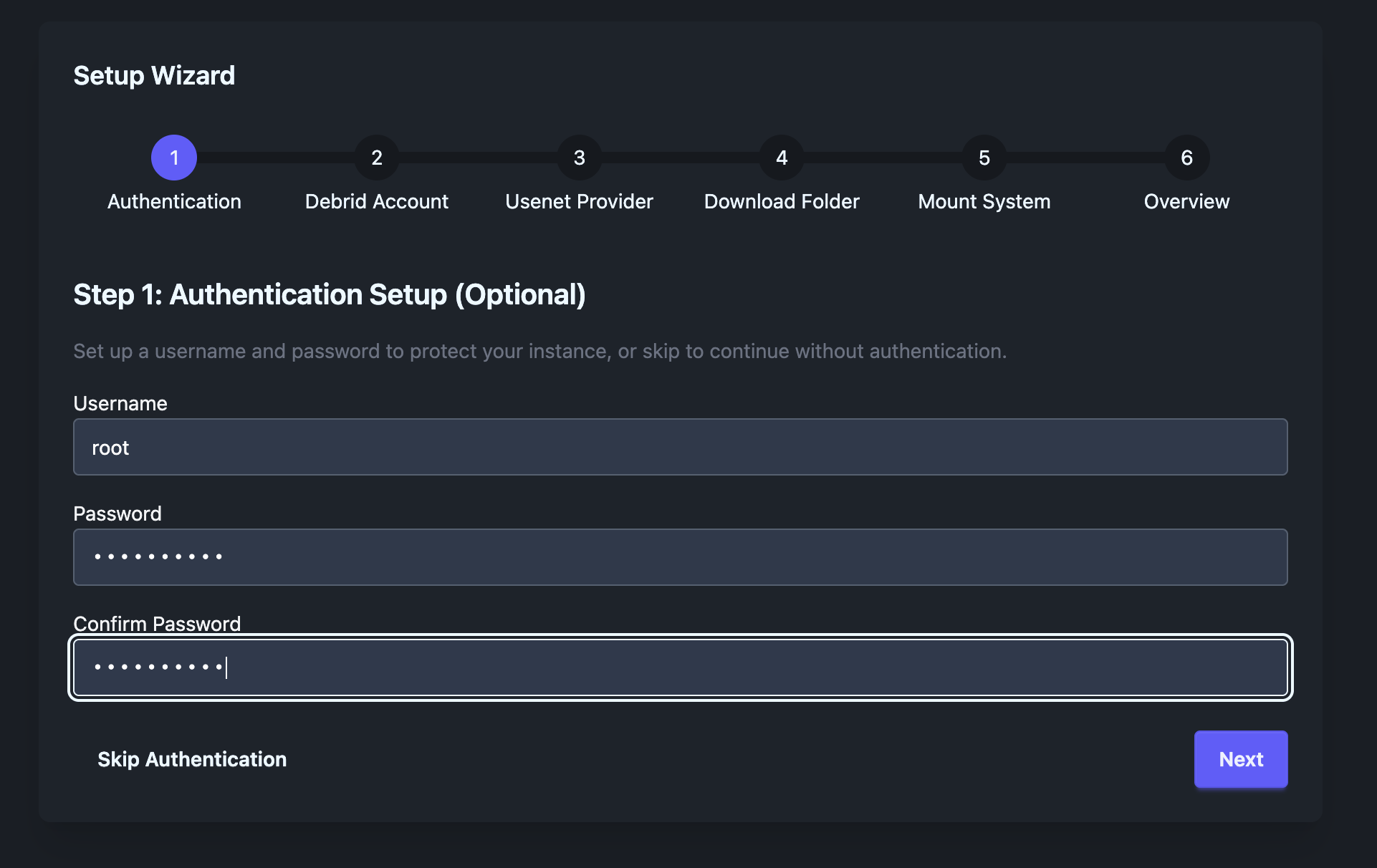
Screenshot: Authentication setup screen.
Create your admin credentials:
- Username: Your login username
- Password: Secure password
Step 2: Debrid Providers
Section titled “Step 2: Debrid Providers”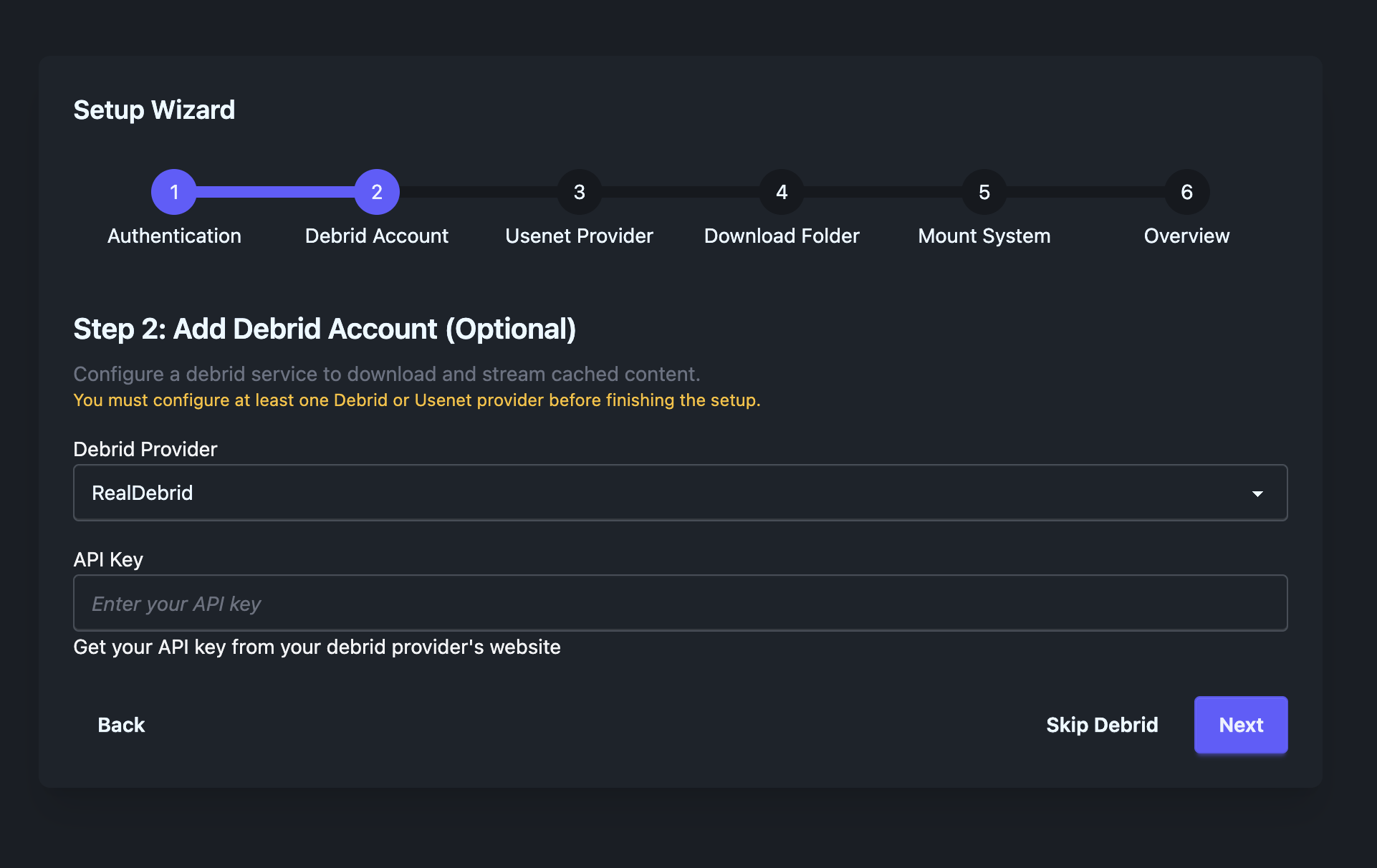
Screenshot: Debrid provider selection.
Add at least one Debrid provider:
Supported Providers
Section titled “Supported Providers”- Real Debrid (
realdebrid) - All Debrid (
alldebrid) - Debrid Link (
debrid-link) - Torbox (
torbox)
For each provider:
- Select provider type
- Enter API key (from provider dashboard)
- (Optional) Configure rate limits
Step 3: Usenet Providers (Optional)
Section titled “Step 3: Usenet Providers (Optional)”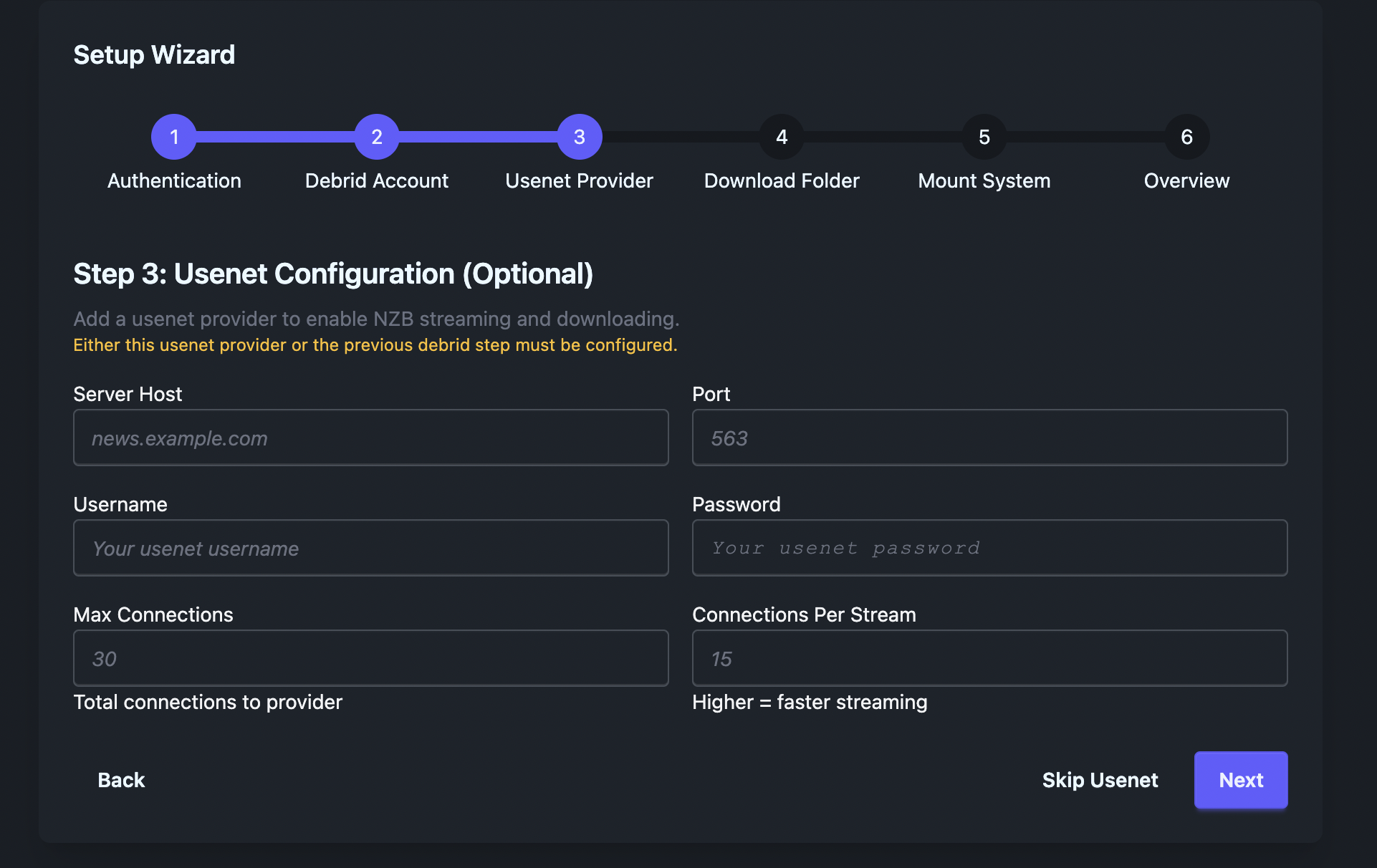
Screenshot: Usenet provider configuration.
Add NNTP servers for Usenet support:
Required:
- Host (e.g.,
news.provider.com) - Port (typically
563for SSL) - Username
- Password
Optional:
- Max connections (default: 20)
- SSL enabled (recommended)
- Priority (for multiple providers)
Step 4: Mount Configuration
Section titled “Step 4: Mount Configuration”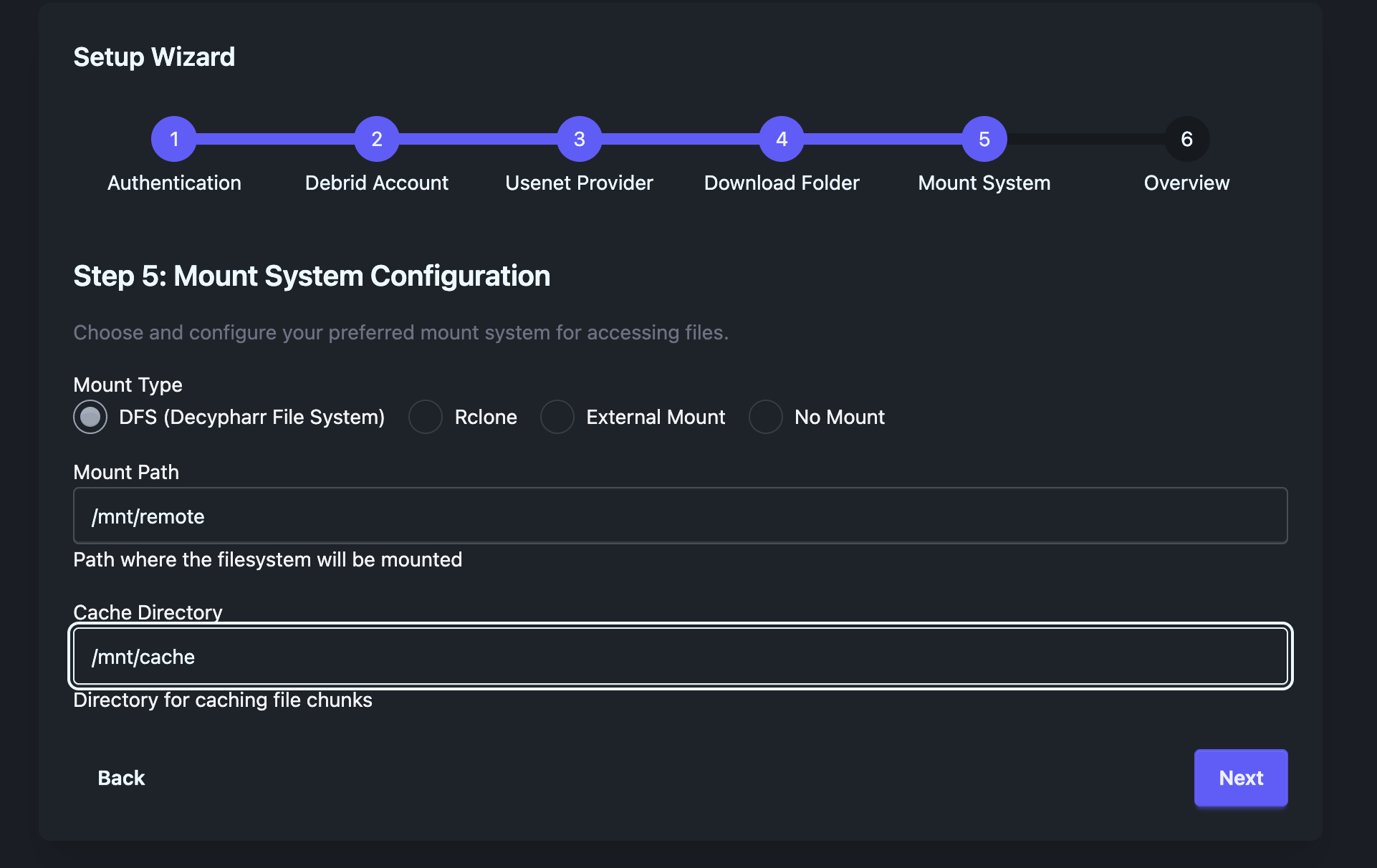
Screenshot: Mount type selection.
Choose how files are mounted:
| Mount Type | Description |
|---|---|
| DFS | Custom VFS with optimized streaming |
| Rclone | Embedded Rclone with full VFS features |
| External Rclone | Connect to existing Rclone RC instance |
| None | No mounting (API/WebDAV only) |
Mount Path: Where files appear (e.g., /mnt/decypharr)
Cache Directory: Local cache storage (e.g., /cache)
Step 5: Review & Complete
Section titled “Step 5: Review & Complete”Review settings and click Complete Setup.
You’ll be redirected to the main dashboard with your API token displayed once.